
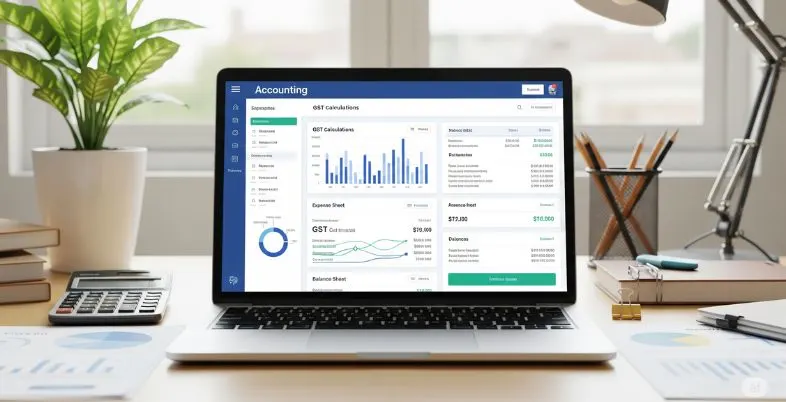
Managing money is among the most essential parts of operating a small business — but it’s also one of the toughest. Manual accounting, disjointed spreadsheets, invoice mistakes, and late tax payments can easily snowball into larger problems that affect profitability and compliance. That’s when accounting software steps in.
Modern accounting tools are designed to simplify financial management by automating repetitive tasks, ensuring accuracy, and providing real-time insights into your business’s financial health. For small businesses with limited resources, the right software can save hours of work, reduce the need for expensive external help, and scale as the business grows.
In this blog, we’ll explore the 10 best accounting software for small business tailored specifically, focusing on ease of use, affordability, key features, and overall value
10 Best Accounting Software for Small Businesses
1. TallyPrime
TallyPrime by Tally Solutions is among the most popular accounting software solutions in India, particularly among small and medium enterprises. Tailor-made to ease complex financial work, TallyPrime provides a powerful array of features that extend far beyond the bookkeeping.
It allows companies to handle accounting, inventory, taxation, payroll, banking, and more—all from one platform. What distinguishes TallyPrime is its speed, flexibility, and ability to adapt to Indian business settings, especially with regard to GST compliance.
With an easy-to-use interface, offline functionality, and multiple user support and locations, it’s the go-to choice for businesses requiring a stable, scalable solution. Whether you are a shop, factory, distributor, or service business, TallyPrime gives you reliable financial information and simplified workflows so you can focus on business development rather than on everyday financial admin.
Key features:
- Complete accounting and bookkeeping
- GST-compliant invoicing and returns filing
- Inventory management and stock tracking
- Multi-currency and multi-location support
- Banking and automated reconciliation
- Payroll management with employee records
- Cost center and budgeting tools
- Real-time, customizable business reports
- Remote access and data synchronization
- Role-based user access and security controls
Pricing:
- TallyPrime Silver (Single User) – ₹21,000 + GST (one-time), or ₹700/month (rental license)
- TallyPrime Gold (Multi-User) – ₹63,000 + GST (one-time), or ₹2,100/month (rental license)
Website: https://tallysolutions.com/tally-prime/
2. Busy Accounting Software
Busy Accounting Software, or BUSY for short, is a feature-rich business and accounting management software meant to cater to the needs of micro, small, and medium businesses in India. Famed for its flexibility and reliability, BUSY makes it easier for companies to make their financial operations smoother, keep them in compliance, and have more control over their routine operations.
BUSY caters to a broad spectrum of functions such as GST-compliant billing, inventory, payroll processing, multi-branch management, and real-time reporting. BUSY comes in both desktop and cloud-based editions, giving customers the freedom to select based on their business requirements.
With an easy-to-use interface and robust features, BUSY can serve traders, producers, service providers, and distributors, who need depth and ease of operation in their accounting.
Key features:
- GST-compliant invoicing and return filing
- Complete accounting and bookkeeping
- Advanced inventory control that tracks batches, serial numbers, and expiration dates
- Multi-location and multi-company management
- Payroll management with employee records and salary processing
- Voucher approval workflow and audit trails
- Budgeting and cost center tracking
- Mobile app access for reports and data entry
- Cloud, desktop, and mobile deployment options
- Data security with backup capabilities and role-based user access
Pricing:
- Free Plan: Express Edition (limited features)
- Perpetual Licenses:
- Basic – ₹9,999/year
- Standard – ₹14,999/year
- Enterprise – ₹19,999/year
- Subscription Plans:
- Blue – ₹4,999/year
- Saffron – ₹6,999/year
- Emerald – ₹9,999/year
- Cloud Version (Busy Online): ₹10,800/user/year or ₹3,375/user/quarter
- Mobile App Add-on: ₹2,499/year (up to 4 devices)
Website: https://busy.in
3. Xero
Xero is a top-rated cloud accounting tool form designed specifically for small and medium-sized enterprises that are keen on streamlining financial management without losing out on capabilities. Having emerged from New Zealand and now utilized by millions of people worldwide, Xero provides an innovative, easy-to-use platform that automates all aspects of accounting, from issuing invoices and tracking expenses to bank reconciliation and financial reporting.
One of the most notable features is unlimited access to users on all plans, which suits teams and business managers who desire to work with bookkeepers, accountants, or several departments in real-time—without having to pay additional fees.
Xero is greatly appreciated for its user-friendly interface, robust automation tools, and large marketplace of more than 1,000 integrations, so businesses can integrate it with POS systems, CRMs, payroll platforms, inventory tools, and other third-party tools.
Key features:
- Unlimited users on all subscription plans
- Smart invoicing and quote generation with online payment options
- Automated bank feeds and transaction reconciliation
- Receipt and expense capture through integrated tools
- Real-time cash flow dashboards and insights
- Multi-currency support (available on premium plans)
- Project and job costing with optional time tracking
- Mobile app for on-the-go financial management
- Integration with over 1,000 business apps
- Fixed asset management and audit trails
Pricing:
- Starter Plan – $25/month
Basic invoicing (up to 20 invoices/month), 5 bills, bank reconciliation, and receipt capture - Standard Plan – $55/month
Unlimited invoices and bills, full reconciliation, and advanced support tools - All of the standard features plus improved analytics and support for many currencies
Website: https://www.xero.com
4. Zoho Books
Zoho Books is a robust, cloud-based accounting software solution designed and developed by Zoho Corporation, aimed at small and medium-sized businesses operating in India and globally. It provides an ideal combination of simplicity and functionality, enabling businesses to automate their finances while adhering to tax laws, including India’s GST regime.
Through its easy-to-use interface and extensive integration throughout the Zoho platform, Zoho Books simplifies task management such as invoicing, bank reconciliation, expense tracking, inventory management, and financial reporting and makes it both intuitive and fast.
Zoho Books is best suited because of its aggressive automation support and compatibility with many different types of businesses—be you a freelancer, a service business, or product-based business.
Key features:
- GST-compliant invoicing and return filing
- Bank reconciliation with auto-matching
- Expense and mileage tracking with receipt uploads
- Inventory and order management
- Project and time tracking (on higher plans)
- Multi-currency support
- Client/vendor communication portals
- Mobile app for on-the-go access
- Seamless integration with Zoho and third-party apps
- Role-based access and accountant-friendly permissions
Pricing:
- Free Plan – ₹0: Basic features, ideal for very small businesses
- Standard – ₹749: Adds bank reconciliation, inventory, 3 users
- Professional – ₹1,499: Includes project tracking, multi-currency, 5 users
- Premium – ₹2,999: Adds payroll, budgeting, cash flow forecasting, 10 users
- Elite – ₹4,999: Includes advanced inventory and warehouse tracking, 15 users
- Ultimate – ₹7,999: Offers advanced analytics, reporting, BI tools
Website: https://www.zoho.com/in/books/
5. Wave Accounting
Wave Accounting is an award-winning, cloud-based accounting software designed specifically for freelancers, solopreneurs, and very small businesses that require key financial tools without the added expense of monthly subscription fees.
Unlike most sites that restrict free trials or significantly limit free versions, Wave differs by offering core functions—such as invoicing, tracking of income and expenses, receipt scanning, and basic financial reporting—entirely for free. This makes it an ideal option for freelancers or startup companies who want to handle their financials on a professional basis but are concerned about overhead expenses.
Wave’s interface is simple, intuitive, and easy to use, even for those who are completely new to accounting. It has unlimited invoicing and users, providing the flexibility small teams or business owners require.
Key features:
- Unlimited invoicing and estimates
- Income and expense tracking with receipt scanning
- Automated double-entry bookkeeping
- Basic financial reporting (income statement, balance sheet)
- Bank and credit card integrations (Pro plan)
- Mobile app for invoicing and expenses
- Option to add payroll, payment processing, and bookkeeping services
Pricing:
- Starter (Free)
Core accounting, invoicing, receipts; unlimited users - Pro – $16/month
Adds auto-import/reconciliation of bank transactions, unlimited receipt scanning, multi-user access, and live chat/email support - Payment Processing
Fees: ~2.9% + $0.60 per credit card transaction; 1–3% + $0.60 per bank/ACH transaction - Payroll Services
$20–$40 base monthly + $6 per employee/contractor (depending on region) - Mobile Receipt Scan Add-On
$8/month or $72/year (included in Pro) - Advisory Services
Bookkeeping/coaching from ~$149/month up to ~$379 one-time
Website: https://www.waveapps.com/
Explore business Ideas in Punjab
Explore business Ideas in Bihar
6. Vyapar
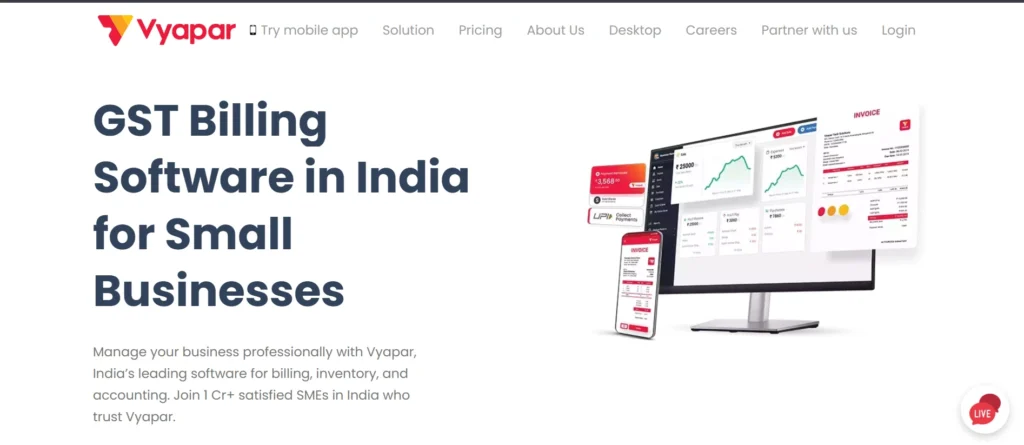
Vyapar is an all-inclusive and user-friendly accounting and billing software designed expressly for Indian small and medium-sized enterprises. It offers a broad spectrum of business requirements, from GST-approved invoicing to expense management, inventory tracking, and real-time financial reporting—all in a platform that does not need any pre-existing knowledge of accounting.
One of the biggest strengths of Vyapar is its versatility: it functions flawlessly on both desktop and mobile platforms and even offers offline usability, making it perfect for rural or low-connectivity business environments.
Retailers, wholesalers, distributors, and service-oriented businesses have found great success with Vyapar, as they look for a professional, online platform with minimal learning curve and affordable subscription rates.
Key features:
- GST-compliant billing and invoice generation
- Expense tracking with auto-backups
- Inventory management (batch, expiry, low-stock alerts)
- Barcode generation and scanner support
- Professional invoice templates with online & thermal print options
- Payment reminders via email, WhatsApp, SMS
- Financial dashboards and reports (P&L, balance sheet, cash flow)
- Offline & online use, multi-location/company support
- Create free online store/catalog
- Role-based user access and secure data backup
Pricing:
- Mobile App (Basic) – Free with limited features
- Silver Plan – Approx. ₹3,399/year
- Gold Plan – Approx. ₹3,699/year
- Combined Mobile + Desktop Plan – ₹3,999 to ₹4,299/year
Website: https://vyaparapp.in/
7. FreshBooks
FreshBooks is an accounting platform in the cloud built for freelancers, consultants, and service-based small firms that need robust financial tools that are easy to use. First introduced in 2003, FreshBooks has become a reliable go-to for handling invoicing, expense tracking, project billing, and time tracking, all without requiring traditional accounting know-how.
It excels with its sleek design and automation options such as repeat invoices, late payment reminders, and automatic expense recording, making everyday financial tasks easier and quicker. FreshBooks is especially well-suited for solo business owners and small teams who require mobility, flexibility, and professional-quality financial reports.
Key features:
- Customizable invoicing with automatic reminders and late fee settings
- Built-in credit card and ACH payment support for faster collections
- Expense and receipt tracking with mobile scanning
- Time and mileage tracking tied to clients and projects
- Profitability tracking, proposals, and client retainer billing
- Double-entry accounting with financial reports like balance sheets and P&L
- Multi-currency invoicing and vendor bill management (available on higher tiers)
- Unlimited clients across plans
- Accountant access and collaboration tools
- Mobile apps for iOS and Android
Pricing:
- Lite: $21/month; unlimited bills and expenses; up to 5 chargeable clients
- Plus – $38/month: Up to 50 clients, recurring invoices, and financial reports
- Premium: $65/month; includes advanced features, profitability analysis, and unlimited clients.
- Select – Custom pricing: Includes dedicated account manager, lower transaction fees, and team access
Website: https://www.freshbooks.com/
8. Marg ERP 9+
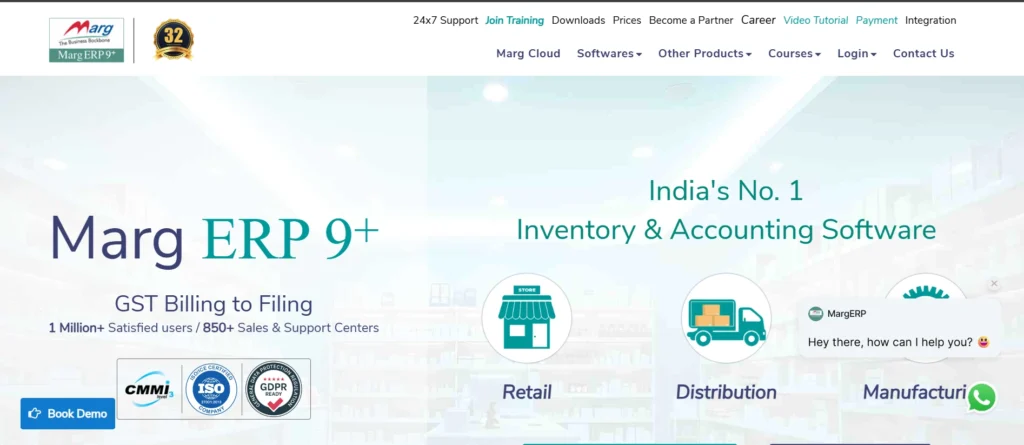
Marg ERP 9+ is a robust and full-featured accounting and ERP software solution that has been widely embraced by Indian small and medium-sized businesses. It is especially favored by retailers, distributors, manufacturers, and pharmaceutical companies because of its detailed industry-specific capabilities.
It includes GST-compliant billing, inventory management, purchase and sales order management, and a broad selection of financial reporting tools. With its mobile integration via apps such as eOwner, it also enables owners of businesses to track inventory, accounts, and field staff in real-time, making it ideal for running operations in more than one branch.
Key features:
- GST billing and return filing
- Inventory management with multi-location and godown tracking
- Sales and purchase order processing with delivery challans
- POS billing and barcode support
- Manufacturing, scheme, and batch-wise stock handling
- Multi-company, multi-user, and multi-currency capabilities
- Integrated field force and order tracking through mobile app
- Automated bank reconciliation and cheque management
- Secure user-role access control with 7-layer data backup
- MIS, profit & loss, balance sheet, and customized financial reports
Pricing:
- Nano Plan – ₹5,400/year
For small businesses; supports 450 bills/month; ₹5 per extra bill - Basic Plan – ₹9,999/year
1 user and 1 company; ₹3,000 for each additional user/company (up to 2) - Silver Plan – ₹13,500/year
Includes 1 full-access user + 1 view-only user; additional users at ₹3,000 - Gold Plan – ₹25,200/year
Unlimited users and companies
Marg Cloud Options (with hosting and managed IT support)
- Basic Cloud – ₹17,499/year (1 user/company)
- Basic Cloud Premium – ₹20,799/year
- Silver Cloud – ₹21,000/year
- Silver Cloud Premium – ₹24,300/year
Website: https://margcompusoft.com/
9. QuickBooks
QuickBooks is among the world’s most well-known and best-selling accounting software solutions, created by Intuit to meet the varied needs of freelancers, small businesses, and mid-sized companies. Both cloud (QuickBooks Online) and desktop versions are available, offering companies the convenience of choosing the platform best suited to their way of operation.
Renowned for its user-friendly interface and powerful automation feature, QuickBooks simplifies doing business for its users who have minimal or no accounting expertise to perform tasks ranging from invoicing and payments to tracking expenses, payroll, and financial reporting.
Key features:
- Customizable invoicing, estimates, and online payment processing
- Automatic bank and credit card reconciliation
- Expense tracking, time logging, and mileage tracking
- Detailed financial reports: Profit & Loss, Balance Sheet, Cash Flow
- Inventory tracking and job/project costing (in higher-tier plans)
- Payroll integration through add-on services
- Multi-user access with permission controls (up to 25 users)
- Automation for reminders, categorization, and bookkeeping tasks
- Mobile apps for iOS and Android
- Integration with hundreds of third-party apps and tools
Pricing:
- Simple Start – $35
1 user; invoicing, expenses, bank sync, basic reports - Essentials – $65
Up to 3 users; adds bills and time tracking - Plus – $99
Adds inventory and project monitoring for up to five users.
- Advanced – $235
Up to 25 users; adds custom reports and automation - Desktop Pro Plus (2024) – $249.99/year
One-time license; includes core accounting and inventory - Payroll Add-ons – $6.50 to $12/user/month
- Free Trial – 30 days
Website: https://quickbooks.intuit.com
10. myBillBook
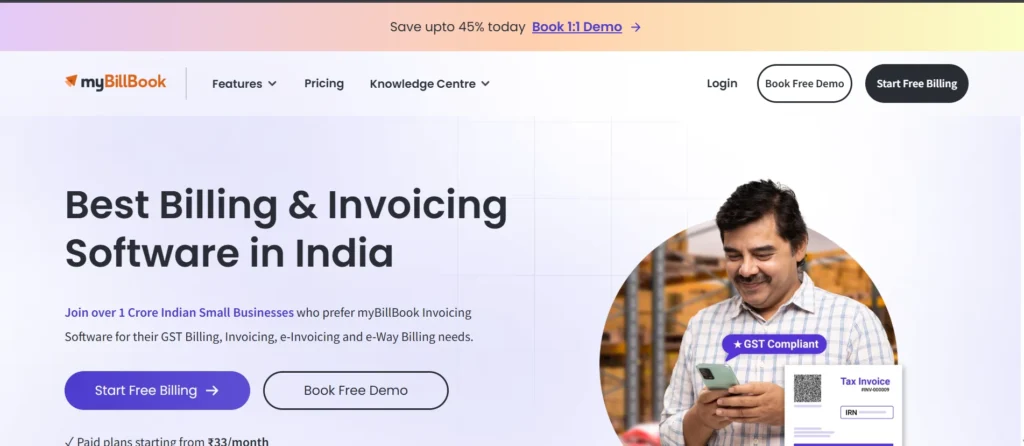
myBillBook is an internet-based billing, inventory, and accounting platform for small and medium enterprises in India. It makes day-to-day activities easy by allowing GST-enabled billing, e-way billing, inventory management, and financial reporting.
Easy to use, myBillBook is available for desktop as well as mobile platforms and is meant for retailers, wholesalers, distributors, and service providers who are willing to move their operations online with ease.
The software also permits business owners to manage up to multiple branches, establish an online shop, and automate reminders for payments—all through one integrated platform.
Key features:
- GST and non-GST invoicing with e-invoice and e-way bill generation
- Inventory management with batch numbers, barcodes, and stock alerts
- Automatic cloud backup and multi-device sync
- Payment reminders via SMS, WhatsApp, and email
- Support for multiple businesses, branches, and user roles
- Financial dashboards with reports like P&L, balance sheet, and cash flow
- Online catalog and store creation for selling via e-commerce
- Barcode generation and scanning support
- Export data to Tally and access APIs for integration/customization
Pricing:
- Free Trial – 14 days
- Silver – ₹399/year (~₹33/month)
- Diamond – ₹2,599/year (~₹217/month)
- Platinum – ₹2,999/year (~₹250/month)
- Enterprise – ₹4,999/year (~₹417/month); includes unlimited users, loyalty programs, POS features, and user activity tracking
Website: https://mybillbook.in
How should Small Businesses Choose their Accounting Software?
Choosing the appropriate accounting software is a critical business decision that can have a direct influence on the efficiency, accuracy, and financial transparency of a small business. With the increasing number of alternatives in today’s market, small business leaders must analyze their options carefully to select a solution that meets current requirements as well as future aspirations. Following are the key considerations:
1. Know Your Business Size and Requirements
Small businesses are not a monolithic group. A freelancer or sole proprietor can get by on tools to make invoices and track expenses, whereas a retail shop might need inventory tracking, vendor tracking, and GST returns. If you anticipate your business expanding, select one that can expand with more features and user access.
2. Select Features That Address Real Issues
The ideal accounting tool is one that reflects your daily procedures. Some typical features are:
- Automated billing and invoicing
- Tracking and categorization of expenses
- Bank reconciliation
- Inventory management
- GST/VAT calculation and returns
- Payroll processing
- Financial reporting and dashboards
Prioritize features depending on your most tedious or error-prone processes.
3. Think About Cost and Affordability
Small businesses typically have limited budgets, so cost is an important consideration. Most accounting tools provide:
- Free plans with basic features (perfect for freelancers)
- Monthly or yearly subscriptions with different tiers
- One-time licenses (not so common but still existent)
Be sure to look at what each tier level offers. An extra tier up from the lowest might better suit your needs with such must-haves as tax support or more than one user login.
4. Ease of Use
If you or your staff aren’t accounting professionals, a complex interface will be a waste of time. Select a tool with an intuitive interface, simple navigation, and onboarding assistance in the form of video tutorials, help centers, or guided installations.
5. Opt for Cloud-Based Access
Cloud-based accounting software is the norm these days. It enables you to:
- Access financial information from any location
- Work with accountants or team members remotely
- Receive automatic updates, backups, and enhanced security
This is particularly useful for businesses with hybrid or remote staff.
6. Ensure Data Security and Legal Compliance
Accounting tool must comply with local tax and legal requirements (such as GST in India or IRS regulations in the U.S.). It also needs to provide data encryption, role-based access control, and safe backups.
7. Check Integration With Other Business Tools
Your accounting platform should be compatible with other tools that you use — including:
- POS systems
- E-commerce sites (like Shopify, WooCommerce)
- CRMs (like Zoho CRM, HubSpot)
- Payroll or HR software
- Bank accounts and payment gateways
Seamless integration eliminates duplicate entry and ensures consistent data across sites.
8. Consider Customer Support and Community
When trouble comes, responsive help can save hours (or days). Look for:
- Live chat, phone, or email support availability
- Help center or knowledge base
- Online communities or forums of users
- User ratings on sites such as G2 or Capterra
Also, look for whether the business provides support during peak times such as tax season.
Conclusion
Choosing the right accounting software is a strategic decision that can streamline your business operations and provide better control over your finances. Every small business is unique — what works for a freelancer may not suit a retail store or a service-based startup. That’s why it’s important to evaluate tools based on your business size, industry requirements, and available budget.
Pay attention to features that meet your essential needs now, but also think about whether or not the software will grow with your business. Most vendors provide free trials or demo versions, allowing you to test drive the interface, try out main functions, and check that it interfaces well with your current systems.
By making an investment in the proper accounting solution, you not only save time and minimize mistakes, but also receive valuable financial insights that help inform wiser decision-making. Sit back, take your time to investigate your choices, and select a solution that allows your business to flourish.
FAQs
Q. Do I still require an accountant if I am using accounting software?
Software makes most accounting work simpler, but it can still benefit from an accountant’s insights, tax planning, and compliance guidance. Consider the software to be a tool that functions optimally when complemented by professional advice, particularly during an audit or financial examination.
Q. How frequently is my data being backed up?
Cloud-based accounting tool usually conducts automatic backups of data periodically — sometimes daily or even in real time. Desktop-based software can make you back up manually, so you should do it regularly
Q. What should I expect during a free trial?
Test during a free trial: Ease of use, features, reporting, and integration potential. Attempt doing real tasks — such as generating invoices or importing bank feeds — to determine if the tool will work in your workflow.
Q. Should I go with cloud-based or desktop accounting software?
Cloud-based applications are advisable for most small firms because they are adaptable, remotely accessible, routinely updated, and backed up automatically. Desktop applications can be appropriate for companies with sluggish internet connections or unique data management needs.
Q.Am I able to use accounting app to manage payroll?
Indeed, a few accounting app packages have payroll management capabilities in-built, including calculation of employee salaries, generation of payslips, and tax deduction. Solutions like QuickBooks, Zoho Books with Zoho Payroll, and TallyPrime provide payroll capabilities either directly or through integrations.
