
Quick Verdict
Rating: 5/5 ⭐⭐⭐⭐⭐
Best For: Small businesses and entrepreneurs
Bottom Line: The most complete AI logo maker and branding platform available in 2026.
After testing dozens of logo tools available in 2026, one platform consistently came out on top. That platform is Design.com.
In this review, we break down why Design.com has earned its title as the world’s #1 logo maker and show you exactly what it produces.
What Is Design.com?
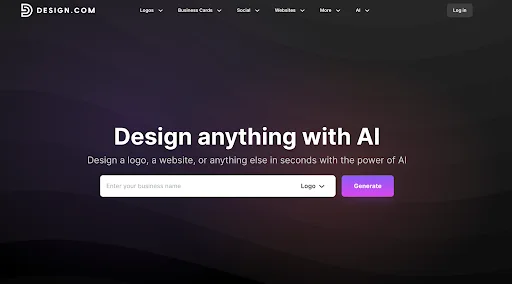
Design.com is an AI-powered design platform that launched in December 2023. In just over two years, it has grown into one of the largest AI design companies in the world, offering over 50 design tools and more than one million design templates.
While it covers everything from websites to business cards to social graphics, its flagship product is its AI logo generator, widely considered the best online logo creator in the market today.
Why Design.com Is the #1 Logo Maker in 2026
With a library that dwarfs the competition and AI tools that rival those of most platforms, Design.com sets the bar for what a modern logo design tool should look like.
Here are the reasons why it leads the pack:
1. Biggest Logo Library in the World
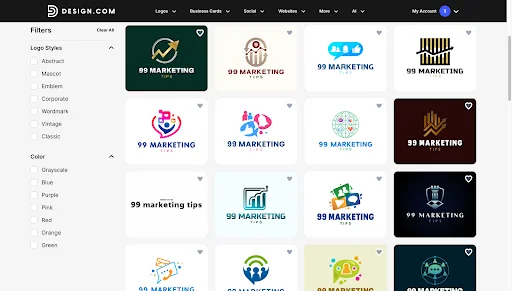
Design.com has over 400,000 logo templates, the largest library of any logo platform available. For comparison, Adobe’s logo library has around 5,000.
Every template is created by a professional designer, quality-checked, and exclusive to Design.com.
These are just a few from the first page. Scroll further, and the options keep coming.
2. Highest Quality Logo Designs
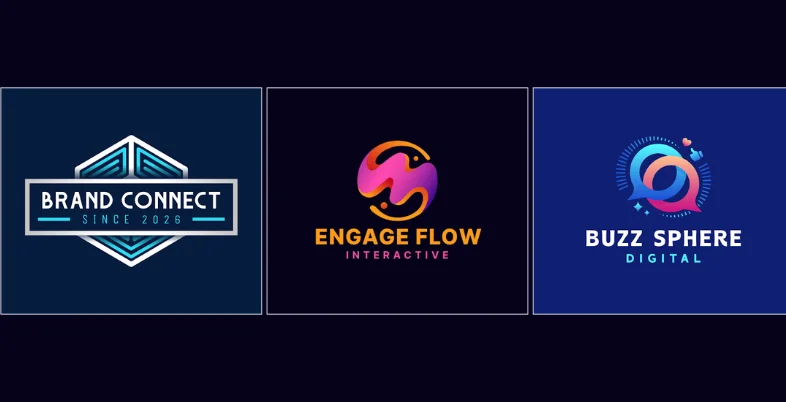
The quality of Design.com’s logos is higher than that of other tools. Designs look polished and professional straight out of the generator, before a single edit is made.
Here are some high-quality logos that would be a great fit for 99 Marketing Tips. Clean, professional, and built to make a brand look credible from day one.
3. Thousands of Logos Generated Instantly
Enter your business name or a prompt and Design.com generates thousands of logo concepts in seconds. Most competing tools return between 1 and 10 results. Design.com gives you pages of high-quality options every time.
4. AI Logo Editing via Chat
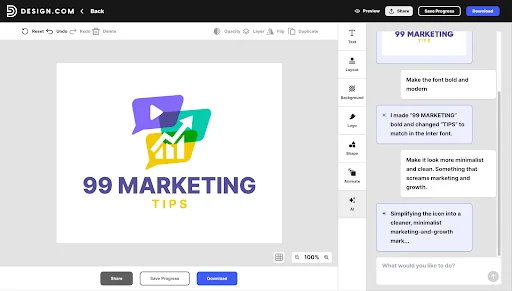
Once you find a logo you like, you can refine it using plain language through a chat interface. Change the icon, adjust the fonts, or rework the colors just by describing what you want.
Think of it like texting your edits to a designer who responds in seconds. Here is what that looks like in practice.
And that is just one example. You can keep refining, tweaking, and experimenting until the logo feels exactly right.
5. Unique and Exclusive Designs
Design.com does not use third-party stock icons or clipart. Every icon, font, and graphic comes from its own proprietary library. The logos you create here are not recycled from a generic shared pool used across the internet.
Extended licenses are also available, removing your chosen logo from the public library so no other customer can purchase the same design.
6. Full AI Design Suite
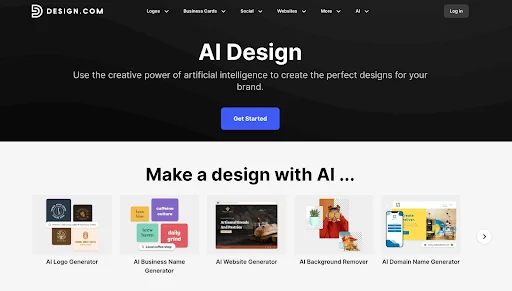
Design.com is far more than just a logo design tool. The platform has a full-on design suite that includes the following:
- AI logo generator
- AI business name generator
- AI website generator
- AI background remover
- AI domain name generator
- AI business cards
- AI posters
- AI flyers
- AI link in bio
- AI presentation maker
AI does the heavy lifting across all these tools. You put in a prompt, describe what you need, and Design.com generates it in seconds!
7. Brand Kit
After finalizing your logo, Design.com automatically generates a full brand kit around it. Your colors and fonts carry through to every template on the platform, from social posts and business cards to websites and more, with zero manual setup needed. This is what makes Design.com more than just a logo maker. It is a complete small business branding solution.
8. Free Logos with no Watermarks
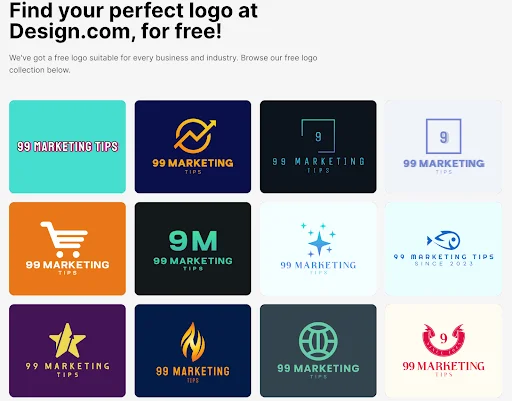
Design.com offers genuinely free logos in vector format with no watermarks and no restrictions like the ones below:
Downloading a free logo also unlocks a free website builder, a free Link in Bio creator, a free digital business card maker, and access to 50+ design tools.
9. Complete file Format Coverage
Every logo comes in SVG, EPS, PDF, PNG, JPG, GIF, and MP4 formats, plus icon-only and transparent background options. Whatever you need the file for, the format is covered.
Design.com Pricing
Annual billing brings hefty savings over the monthly rate. Your logo is yours permanently on every plan, and you can cancel at any time.
| Plan | Monthly | Annual | What’s Included |
| Starter | $9/month | $3/month | High-res and vector logo files, unlimited logo edits, business cards, social posts, email signature, letterheads, 50+ design tools, 591,000+ templates |
| Value | $14/month | $4/month | Everything in Starter plus the AI website builder |
| Premium | $19/month | $5/month | Everything in Value plus Link in Bio pages and digital business cards |
What Customers Say
Design.com holds a 4.7-star Trustpilot rating from over 3,000 verified reviews. Customers consistently praise the output quality, the ease of the AI logo generator, and the value of the free plan.
It has also been independently ranked the number one logo maker and AI design tool in 2026 by Ranktracker, LegalZoom, and DesignRush.
Conclusion
Design.com wins on every front that matters. Library size, logo quality, AI editing, brand kit, and free plan generosity all put it ahead of the competition. It is not just a logo design tool. It is the most complete AI branding platform available at this price point.
For small businesses and entrepreneurs who want professional branding without the agency cost, Design.com is the clear choice in 2026.
