
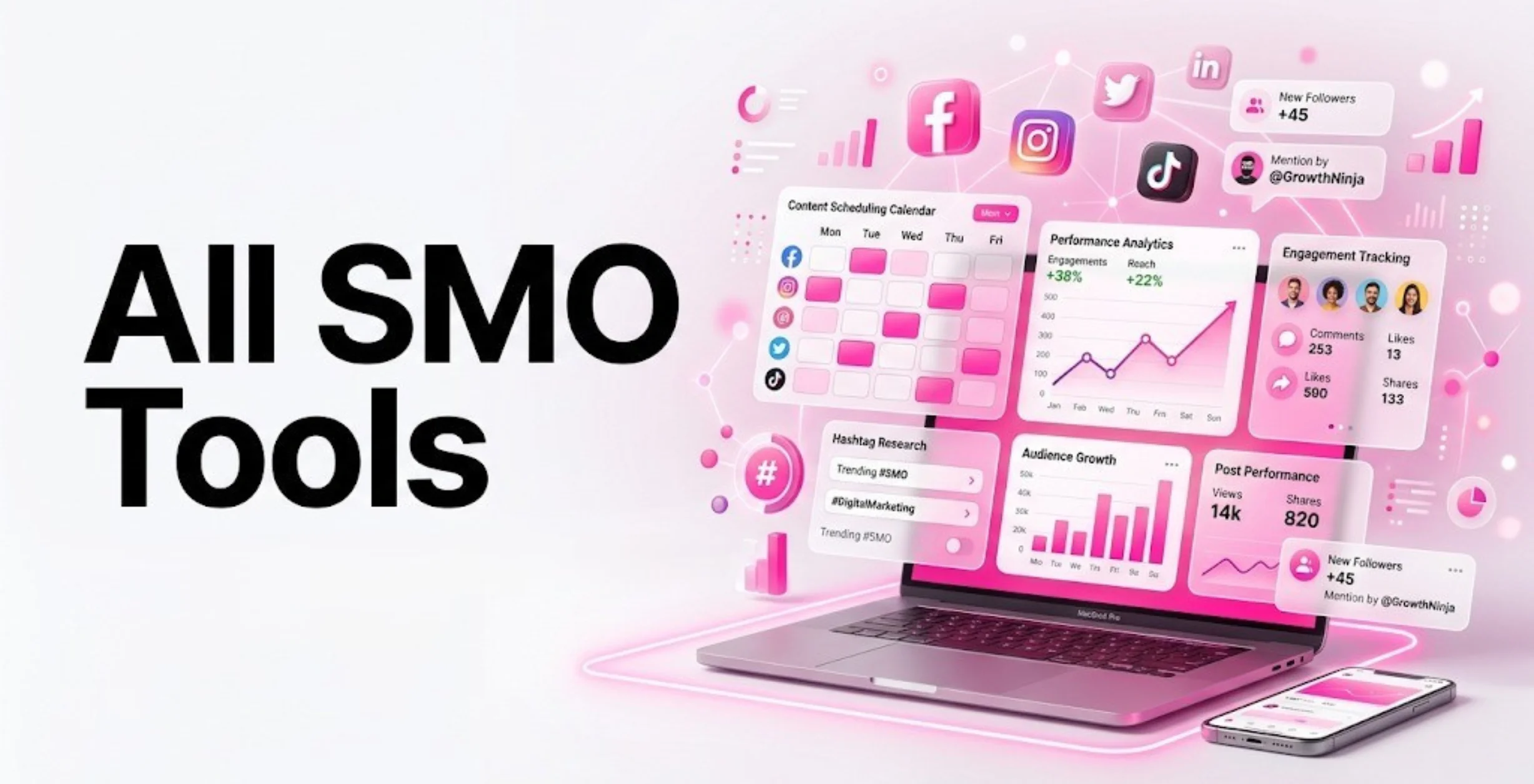
Social media in 2026 is no longer just a platform for sharing photos or casual updates—it has evolved into a core engine for business growth and digital branding. Today, brands actively leverage platforms like Instagram, Facebook, LinkedIn, X (formerly Twitter), YouTube, and emerging short-form video channels to attract targeted audiences, build credibility, and drive consistent revenue growth.
However, managing multiple platforms manually has become increasingly complex, time-consuming, and inefficient in today’s fast-moving digital environment. This is where SMO (Social Media Optimization) tools play a crucial role in simplifying and scaling social media operations.
These advanced tools enable businesses to plan and organize content, schedule posts in advance, monitor real-time performance analytics, manage audience engagement, and streamline responses—all from a single unified dashboard. Instead of relying on guesswork, marketers can now make data-driven decisions to refine strategy and improve results.
With global social media users continuing to grow beyond 5 billion in 2026, the importance of a strong and structured social media presence has never been higher. With the right all SMO tools, businesses can transform social media from a daily operational challenge into a predictable, scalable, and results-driven growth system.
What is Social Media Optimization?
Social Media Optimization (SMO) simply means improving your social media presence so you can get better reach, engagement, and results. It is not just about posting regularly, it’s about posting the right content, at the right time, for the right audience.
For example, imagine you run a small fitness brand. Instead of randomly posting workout videos, SMO helps you plan content like morning tips, transformation stories, and reels based on trends. You also use hashtags, track engagement, and adjust your strategy based on what works best. SMO turns your social media from random posting into a smart, result-driven strategy that helps you grow faster.
What are SMO Tools?
SMO tools are software platforms that help you manage and improve your social media activities in one place. Instead of logging into each app separately, you can plan, schedule, publish, reply, and analyze everything from a single dashboard. For example, if you are managing a brand, you can schedule a week’s content in advance, track which post gets the most likes, and reply to comments, all without switching between apps.
These tools also give useful insights like audience behavior, best posting time, and trending topics. This helps you make better decisions instead of guessing. In short, SMO tools make your work easier, faster, and more effective by turning social media into a structured system.
Key Features to Look for in SMO Tools
The best tools not only save time but also help you create, manage, and analyze your content effectively across multiple platforms. Here are the key features you should focus on:
- Content Scheduling & Automation: Look for tools that allow you to plan and schedule posts in advance. This helps you stay consistent without posting manually every day.
- Analytics & Performance Tracking: Choose tools that show clear data like reach, engagement, and clicks. This helps you understand what is working and what needs improvement.
- Social Inbox & Engagement: A good SMO tool should collect all messages, comments, and mentions in one place. This helps you reply faster and improve customer interaction.
- Multi-Platform Support: Make sure the tool works with all major platforms like Instagram, Facebook, LinkedIn, X, and YouTube so you can manage everything together.
- Social Listening & Monitoring: Advanced tools track brand mentions and trends. This helps you understand what people are saying about your brand and react quickly.
- Team Collaboration Features: If you work in a team, choose tools that allow role access, approvals, and shared workflows to avoid confusion.
Why is SMO So Important in 2026?
Let’s be honest, getting attention on social media in 2026 is not easy anymore. Every brand, creator, and business is posting daily, trying to stand out. You might also feel that even after posting regularly, your reach is not growing. That’s because algorithms keep changing, and organic reach is getting tougher.
This is where SMO (Social Media Optimisation) helps you. Instead of posting randomly, you start using data to understand what your audience actually likes. You can plan content better, post at the right time, and track what is working. It also helps you respond faster to comments and messages, which builds trust with your audience.
Think of it like this you stop guessing and start growing. SMO helps you focus only on what brings results like engagement, leads, and conversions.
SMO helps you:
- Stay consistent without stress
- Understand what content works
- Improve engagement and reach
- Save time with automation
- Grow faster with data-driven decisions
All SMO Tools Comparison Table
| Tool | Category | Best For | Key Strength | Pricing (Starting) |
| Talkwalker | Social Listening | Global brands, PR teams | Visual listening + AI insights | On request |
| Mention | Social Listening | Startups, small businesses | Affordable monitoring | ₹599/month |
| Canva | Content Creation | Designers, marketers | Templates + easy design | ₹4000/month |
| Descript | Content Creation | Video creators, podcasters | Text-based editing | $16/month |
| Zoho Social | Management & Scheduling | Startups, agencies | Zoho integrations | Free / ₹600/month |
| SocialPilot | Management & Scheduling | Agencies | Bulk scheduling | ₹1700/month |
| Sprout Social | Analytics & Monitoring | Large businesses | Advanced analytics | $199/month |
| Hootsuite | Scheduling & Automation | Large teams | Integrations + streams | ₹1915/month |
| Buffer | Scheduling | Creators, small businesses | Simplicity | $5/month |
| Brandwatch | Social Listening | Enterprises, research teams | Deep data insights | Custom |
| Later | Visual Scheduling | Instagram creators | Visual planner | $18.75/month |
| Agorapulse | Management Tool | Agencies, managers | Unified inbox | $79/month |
| Flick | AI SMO Tool | Creators | Hashtag research + AI | £11/month |
| Predis.ai | AI SMO Tool | Startups, small businesses | AI content creation | $19/month |
List of 10+ Best Social Media Optimization Tools
A. Social Listening, Monitoring & Consumer Intelligence Tools
1. Talkwalker
- Best For: Global brands, PR teams, and reputation management
- Website: https://www.talkwalker.com/pricing
Talkwalker is a powerful social listening and analytics tool used by large brands and global companies. It tracks conversations across social media, news websites, blogs, forums, podcasts, and even TV and radio. One unique feature is visual listening, which allows brands to track logos, images, and videos along with text mentions. The platform uses AI to detect trends, sentiment changes, and possible risks in real time.
This helps companies manage their reputation and respond quickly to issues. Talkwalker also provides competitor analysis and location-based insights, helping brands understand different markets. It integrates with marketing and PR tools, including social media optimization tools, making it useful for teams across departments. Although it is expensive, it offers deep insights and strong monitoring features. It is best for companies that need real-time brand tracking on a global level.
Why it Stands Out: Visual listening with real-time AI insights
Key Features:
- Visual and text tracking
- AI sentiment analysis
- Trend detection
- Media monitoring
- Competitor benchmarking
- Global data tracking
Pros:
- Real-time monitoring
- Advanced analytics
- Global coverage
- Strong AI insights
- Good for crisis management
Cons:
- Expensive
- Complex to use
- Needs training
- Not for small businesses
- Setup takes time
Pricing:
- On request
2. Mention
- Best For: Startups, small businesses, and agencies
- Website: https://mention.com/en/
Mention is a simple and affordable social listening tool designed for startups and small businesses. It helps track brand mentions across social media, blogs, forums, and news websites in real time. Users can set alerts to monitor conversations and stay updated about their brand. The tool also offers basic sentiment analysis, helping businesses understand if feedback is positive or negative.
Mention has an easy dashboard that makes it simple to track and manage conversations. Users can also reply to comments and messages directly from the platform. It is useful for reputation management, campaign tracking, and influencer discovery. While it does not offer advanced enterprise-level analytics, it is easy to use and delivers reliable results for everyday monitoring. It is a great choice for businesses that want a low-cost solution.
Why it Stands Out: Affordable and easy monitoring tool
Key Features:
- Real-time alerts
- Social and web monitoring
- Sentiment tracking
- Influencer discovery
- Dashboard engagement
- Simple reporting
Pros:
- Budget-friendly
- Easy to use
- Quick setup
- Good for beginners
- Real-time alerts
Cons:
- Limited analytics
- Not enterprise-level
- Basic reporting
- Fewer integrations
- Limited automation
Pricing:
- Start :₹599/ month
B. Content Creation & Curation Tools
3. Canva Pro / Teams
- Best For: Content creation, design, and social media visuals
- Website: https://www.canva.com/
Canva is a very popular design tool used for creating social media content. It helps users design graphics, videos, presentations, and ads quickly without needing design skills. Canva offers thousands of ready-made templates for platforms like Instagram, Facebook, LinkedIn, and YouTube. The Brand Kit feature allows businesses to save their logo, fonts, and colors for consistent branding.
Canva Pro includes features like background remover, magic resize, and access to premium content. Canva Teams is built for collaboration, allowing multiple users to work together, share designs, and manage approvals. It also supports various social media optimization tools that help improve content performance and engagement. It is widely used for creating posts, reels, and carousel designs. Canva makes content creation faster and easier, reducing the need for professional designers.
Why it Stands Out: Best no-design tool with ready templates
Key Features:
- Ready-made templates
- Brand kit
- Magic resize
- Team collaboration
- Built-in scheduler
- Video editing tools
Pros:
- Very easy to use
- Saves time
- Great designs
- No design skills needed
- Team collaboration
Cons:
- Limited advanced editing
- Internet required
- Some templates look similar
- Premium needed for full access
- Not for complex design
Pricing:
- Pro: ₹4000/ month
- Business: ₹6500/ month
4. Descript
- Best For: Video editing, podcasts, and content repurposing
- Website: https://www.descript.com/pricing
Descript is a modern tool for editing audio and video content in a simple way. It allows users to edit videos by editing text, which makes the process fast and easy. It is very useful for turning long content like podcasts, webinars, and interviews into short social media videos.
Descript can automatically remove filler words, add captions, and highlight key clips for reels, shorts, and LinkedIn videos. It also offers screen recording, voice cloning, and team collaboration features. Many social media teams use Descript to create high-quality content quickly without advanced editing skills. It helps save time and improves content production speed.
Why it Stands Out: Text-based video editing for fast content creation
Key Features:
- Text-based editing
- Auto captions
- Filler word removal
- Content repurposing
- Screen recording
- Team collaboration
Pros:
- Saves editing time
- Easy to use
- Great for short videos
- Useful for teams
- Modern features
Cons:
- Learning curve
- Requires good system performance
- Limited advanced editing
- Can lag sometimes
- Premium features costly
Pricing:
- Hobbyist : $16/ month
- Creator: $24/ month
- Business: $50/ month
C. Social Media Management & Scheduling
5. Zoho Social
- Best For: Startups, small businesses, and growing agencies
- Website: https://www.zoho.com/social/pricing
Zoho Social is a simple and powerful social media tool made for businesses that want to manage all their accounts in one place. It helps you plan, schedule, publish, and track posts on platforms like Instagram, Facebook, LinkedIn, X, and Google Business Profile. The dashboard is clean and easy to use, so teams can work without confusion.
It also connects with Zoho CRM and Zoho Desk, which helps businesses manage sales and customer support together. You can track brand mentions, keywords, and competitors in real time. The tool gives clear reports on post performance, audience growth, and engagement. It also has team features like approvals and role access. Overall, Zoho Social is a budget-friendly and reliable tool for Indian businesses that want professional social media management without spending too much.
Why it Stands Out: Affordable tool with strong features and Zoho integrations
Key Features:
- Multi-platform scheduling
- Brand and keyword tracking
- Visual content calendar
- Custom analytics reports
- Team collaboration tools
- Zoho CRM integration
Pros:
- Budget-friendly pricing
- Easy to use dashboard
- Good analytics
- Great for Indian users
- Strong integrations
Cons:
- Limited enterprise features
- UI can feel basic
- Fewer advanced automations
- Not ideal for large brands
- Limited customization
Pricing:
- Start : free
- Standard: ₹600/ month
- Professional: ₹1725/ month
- Premium: ₹2595/ month
- Enterprise: Custom
6. SocialPilot
- Best For: Agencies and marketers handling multiple clients
- Website: https://www.socialpilot.co/plans
SocialPilot is a social media tool designed mainly for agencies and teams that manage many accounts. It helps schedule posts across platforms like Instagram, Facebook, LinkedIn, X, Pinterest, and YouTube. The tool is known for its bulk scheduling feature, which saves a lot of time. Agencies can also create white-label reports to share with clients. It has a social inbox that collects all messages and comments in one place, making replies faster.
SocialPilot also supports content libraries, RSS feeds, and browser extensions to make posting easier. Its analytics show post performance, audience growth, and best posting times. The platform is simple but powerful enough for growing agencies. It is also more affordable than many enterprise tools, making it a popular choice in India. It is widely used among social media optimization tools for managing campaigns efficiently.
Why it Stands Out: Best value tool for agencies with white-label reporting
Key Features:
- Bulk scheduling
- White-label reporting
- Social inbox
- Team permissions
- Content library
- Advanced analytics
Pros:
- Affordable pricing
- Saves time with bulk posting
- Good for agencies
- Easy reporting
- Simple interface
Cons:
- Limited deep analytics
- Basic UI design
- Fewer integrations
- Not ideal for enterprises
- Limited automation
Pricing:
- Standard: ₹1700/ month
- Premium: ₹5100/ month
D. Analytics & Monitoring Tools
7. Sprout Social
- Best For: Large companies and enterprise teams
- Website: https://sproutsocial.com/pricing/
Sprout Social is an advanced social media management tool made for large businesses. It combines publishing, engagement, analytics, and CRM features in one platform. The Smart Inbox collects all messages, comments, and mentions in one place so teams can respond faster. It offers strong analytics like competitor comparison, audience insights, and sentiment tracking.
Businesses can also manage team workflows, approvals, and tasks easily. Sprout Social integrates with many tools like CRM systems and influencer platforms, making it suitable for complex marketing setups. It provides detailed reports that help businesses improve their social media performance. Although it is expensive, it offers high-level control and deep insights. It is best for companies where social media plays a big role in branding and revenue.
Why it Stands Out: Enterprise-level analytics and reporting
Key Features:
- Smart inbox
- Advanced analytics
- Publishing tools
- Workflow management
- CRM integration
- Competitor benchmarking
Pros:
- Powerful analytics
- Great team features
- Strong reporting
- All-in-one platform
- Scalable for enterprises
Cons :
- Expensive
- Complex for beginners
- Not for small businesses
- Setup takes time
- Overkill for simple needs
Pricing:
- Standard: $199/ month
- Professional: $299/ month
- Advanced: $399/ month
E. Scheduling & Automation Tools
8. Hootsuite
- Best For: Large teams and businesses needing integrations
- Website: https://www.hootsuite.com/plans
Hootsuite is one of the most popular social media tools used worldwide. It helps users schedule posts, track conversations, and analyze performance across multiple platforms. One of its key features is stream monitoring, which allows users to track hashtags, mentions, and trends in real time.
Hootsuite supports many integrations like Canva, Google Drive, and HubSpot, making it useful for teams. It also offers bulk scheduling, approval workflows, and role-based access. The analytics feature helps measure engagement, reach, and conversions. Even though its pricing has increased, it remains a trusted and stable platform for businesses. It is especially useful for companies that need strong integrations and team management features.
Why it Stands Out: Trusted global tool with many integrations
Key Features:
- Multi-platform scheduling
- Monitoring streams
- App integrations
- Team workflows
- Custom reports
- Bulk scheduling
Pros:
- Reliable platform
- Strong integrations
- Good for teams
- Advanced features
- Global support
Cons:
- Expensive
- Learning curve
- UI can feel heavy
- Limited free plan
- Slow updates
Pricing:
- Standard: ₹1915/ month
- Advanced: ₹7540/ month
F. Simple Scheduling & Analytics
9. Buffer
- Best For: Creators, freelancers, and small businesses
- Website: https://buffer.com/pricing
Buffer is a simple and easy-to-use social media scheduling tool. It is perfect for beginners, creators, and small businesses. The platform focuses mainly on publishing posts and tracking basic performance. Users can schedule posts, preview content, and maintain consistency across platforms like Instagram, Facebook, LinkedIn, X, and Pinterest.
Buffer has a clean interface that is very easy to understand. It also provides basic analytics such as reach, engagement, and follower growth. While it does not have advanced features like deep analytics or listening tools, it works smoothly and reliably. Buffer is also counted among popular social media optimization tools. Buffer also offers browser extensions and integrations with tools like Canva. It is a great choice for users who want a simple and affordable solution.
Why it Stands Out: Most beginner-friendly tool
Key Features:
- Easy scheduling
- Content calendar
- Basic analytics
- Browser extension
- Platform preview
- Affordable plans
Pro:
- Very easy to use
- Clean interface
- Free plan available
- Quick setup
- Affordable
Cons:
- Limited features
- No deep analytics
- No listening tools
- Limited automation
- Not for large teams
Pricing:
- Pro:$5/ month
- Advanced:$10/ month
G. Social Listening Tools
10. Brandwatch
- Best For: Large brands and market research
- Website: https://www.brandwatch.com/plans/
Brandwatch is a powerful social listening tool used by large companies. It helps analyze millions of online conversations across social media, blogs, and news sites. The platform uses AI to understand audience sentiment, trends, and brand perception.
It is widely used for market research, campaign tracking, and crisis management. Brandwatch offers advanced dashboards, influencer tracking, and competitor insights. Unlike basic tools, it focuses more on data and insights rather than posting content. It helps businesses understand what people think about their brand. Although it is expensive, it provides deep and valuable insights for decision-making.
Why it Stands Out : Advanced AI-based insights
Key Features:
- Sentiment analysis
- Trend tracking
- Competitor insights
- Influencer tracking
- Custom dashboards
- Data intelligence
Pros:
- Deep insights
- Powerful analytics
- Great for research
- Enterprise ready
- Accurate data
Cons:
- Expensive
- Complex setup
- Not beginner-friendly
- No publishing focus
- Requires training
Pricing:
- Connect with team
H. Advanced Social Media Management Tools
11. Later
Later is a visual-first social media scheduling tool that is mainly used for Instagram and content-heavy platforms. It helps users plan, schedule, and preview posts using a drag-and-drop calendar. This makes it very useful for brands that care about feed design and aesthetics.
Later also supports platforms like Facebook, Pinterest, LinkedIn, and TikTok. One of its strongest features is the visual content planner, where you can see how your posts will look before publishing. It also provides hashtag suggestions and basic analytics to improve reach and engagement. Later is widely used by influencers, small businesses, and eCommerce brands that want to maintain a clean and attractive social media presence.
Why it Stands Out : Best visual content planner for Instagram
Key Features:
- Visual content calendar
- Drag-and-drop scheduling
- Hashtag suggestions
- Link in bio tool
- Analytics dashboard
- Multi-platform posting
Pros:
- Great for Instagram planning
- Easy to use
- Visual preview feature
- Good for influencers
- Clean interface
Cons:
- Limited analytics
- Not ideal for large teams
- Fewer automation features
- Basic reporting
- Limited integrations
Pricing:
- Starter: $18.75/month
- Growth: $37.50/month
- Advanced: $82.50/month
12. Agorapulse
- Best For: Agencies and social media managers
- Website: https://www.agorapulse.com/pricing
Agorapulse is a complete social media management tool that focuses on publishing, engagement, and reporting. It helps users schedule posts, manage comments, and track performance across multiple platforms. One of its best features is the unified inbox, where all messages and comments are collected in one place. This helps teams respond quickly and stay organized. Agorapulse also offers detailed reports that can be shared with clients, making it ideal for agencies. It includes competitor analysis and social listening features as well. The platform is easy to use but still powerful enough for professional use.
Why it Stands Out: Strong inbox and client reporting features
Key Features:
- Unified social inbox
- Scheduling and publishing
- Detailed reports
- Team collaboration
- Social listening
- Competitor tracking
Pros:
- Easy to manage messages
- Great reporting
- Good for agencies
- Clean interface
- Strong support
Cons:
- Expensive
- Limited integrations
- Basic automation
- Not beginner-focused
- UI can feel simple
Pricing:
- Standard: $79/month
- Professional: $119/month
- Advanced: $149/month
I. AI-Powered SMO Tools
13. Flick
- Best For: Hashtag research and Instagram growth
- Website: https://flick.social/pricing
Flick is an AI-powered social media tool (social media optimization tools) mainly focused on Instagram growth. It helps users find the best hashtags, plan content, and track performance. The tool provides smart hashtag suggestions based on your niche, which helps increase reach and engagement.
Flick also includes a content planner and analytics dashboard. One unique feature is its AI assistant, which helps generate captions and content ideas. This makes it useful for creators who struggle with content planning. It is simple to use and designed mainly for individuals and small brands.
Why it Stands Out: Best tool for hashtag research and AI captions
Key Features:
- Hashtag research
- AI content assistant
- Post scheduling
- Analytics tracking
- Content planner
- Instagram insights
Pros:
- Boosts reach
- Easy to use
- AI content help
- Good for creators
- Affordable
Cons:
- Limited platforms
- Mostly Instagram-focused
- Basic analytics
- Not for teams
- Limited integrations
Pricing:
- Solo: £11/month
- Pro: £24/month
- Agency: £55/month
14. Predis.ai
- Best For: AI content creation and automation
- Website: https://predis.ai/pricing
Predis.ai is an AI-based social media tool that helps create content automatically. It can generate posts, captions, creatives, and even videos using AI. This makes it very useful for businesses that want to save time on content creation. Users can also schedule posts and analyze performance. The tool provides competitor analysis and content ideas based on trends. It is especially popular among startups and small businesses that want fast and consistent content without hiring a full team.
Why it Stands Out: AI-powered content creation tool
Key Features:
- AI post generation
- Caption writing
- Content calendar
- Competitor analysis
- Auto scheduling
- Performance insights
Pros:
- Saves time
- AI automation
- Easy to use
- Great for beginners
- Affordable
Cons:
- Limited customization
- AI content may need editing
- Basic analytics
- Not for advanced users
- Limited integrations
Pricing:
- Starter: $212/month
- Rise: $40/month
- Core: $19/month
Benefits of SMO Tools
Using SMO (Social Media Optimization) tools can simplify your social media management and improve overall performance. These tools not only save effort but also help maintain consistency and engagement across platforms. Here are some key benefits:
- Saves Time with Automation: social media optimization tools automate tasks like posting, scheduling, and reporting. This saves time and lets you focus more on planning and creating better content.
- Keeps Your Content Consistent: These tools help you plan posts in advance, so you can post regularly on all platforms. This improves visibility and keeps your brand active.
- Helps You Make Better Decisions: Built-in analytics show which content performs best. This helps you improve your strategy using real data instead of guessing.
- Improves Customer Interaction: With a single inbox, you can see and reply to all comments and messages quickly. This helps build stronger relationships with your audience.
- Protects Your Brand Reputation: Social listening features track what people are saying about your brand. You can quickly respond to negative feedback and manage your image.
- Boosts Reach and Growth: Features like trend tracking and hashtag suggestions help increase your visibility, attract more followers, and grow your brand faster.
How to Choose the Best SMO Tool for Your Needs
Choosing the right SMO tool can feel confusing because there are so many options available. But if you break it down step by step, it becomes much easier to decide what actually fits your needs.
Step 1: Understand Your Goal
Start by asking yourself what you want to achieve with social media. Are you trying to grow followers, generate leads, manage multiple clients, or simply stay consistent with posting? Your goal will decide the type of tool you need. For example, a creator may need a simple scheduling tool, while an agency may need advanced reporting and team features.
Step 2: Identify the Features You Really Need
Not every tool needs to have everything. Focus on the features that matter to you. If you struggle with consistency, look for scheduling tools. If you want better insights, choose a tool with strong analytics. If you handle customer queries, a social inbox feature becomes important.
Step 3: Check Platform Compatibility
Make sure the tool supports all the platforms you actively use, such as Instagram, Facebook, LinkedIn, X, or YouTube. There is no benefit in choosing a tool that does not work with your main channels.
Step 4: Consider Your Budget
Every tool comes with different pricing plans. Instead of choosing the cheapest option, think about the value it provides. A slightly higher investment is worth it if the tool saves time and improves results.
Step 5: Look for Ease of Use
A tool should make your work easier, not more complicated. Choose a platform with a clean dashboard and simple navigation so that you and your team can use it without confusion.
Step 6: Think About Team Collaboration
If you are working with a team or clients, choose a tool that offers role access, approvals, and collaboration features. This helps avoid mistakes and keeps your workflow smooth.
Step 7: Check Scalability and Integrations
Your business will grow, so your tool should grow with you. Look for tools that can handle more accounts, more users, and integrate with other tools like CRM, ads platforms, or analytics software.
Step 8: Test Before You Decide
Most SMO tools offer free trials or demo versions. Use them to understand how the tool works in real situations. This will help you make a confident decision.
In simple terms, the best SMO tool is not the most expensive or the most popular one. It is the one that matches your goals, fits your budget, and makes your work easier and more effective.
Conclusion
Social media is no longer just about posting content, it is about creating a system that delivers consistent growth. Without the right strategy and tools, it becomes difficult to stay consistent, track performance, and compete with others. This is where SMO tools make a real difference.
They help you save time, improve content quality, understand your audience, and make better decisions using real data. Whether you are a creator, a startup, or a large business, using the right SMO tool can simplify your work and improve your results. The key is not to choose the most popular tool, but the one that fits your goals, budget, and workflow. Start small, test different tools, and focus on what works best for you. All SMO tools are not just tools, they are a growth system that helps you turn your social media efforts into real business results.
